
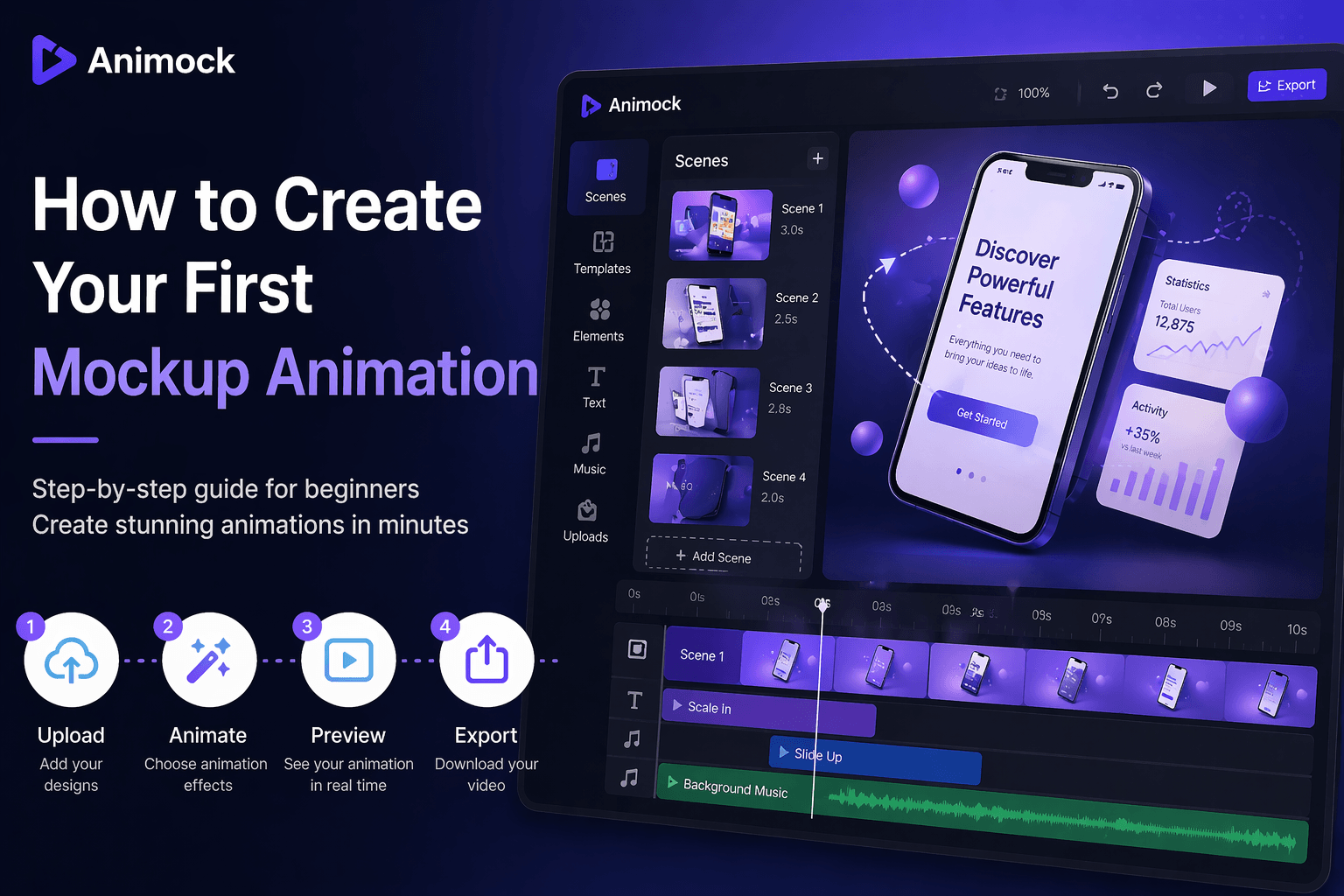
How to Create Your First Mockup Animation (Step-by-Step Guide)
Introduction
Creating professional mockup animations used to require complex tools and advanced skills. With Animock, anyone can create stunning animations in just a few minutes.
This guide will walk you through the exact steps to create your first mockup animation — even if you have no prior experience.
Step 1: Prepare Your Design
Before starting, you need a design to animate. This can be:
- App UI screenshots
- Website designs
- Product images
Make sure your images are high quality for the best results.
Step 2: Upload Your Files
Open Animock and upload your images. Supported formats include PNG and JPG.
Once uploaded, your assets will appear in the editor, ready to be animated.
Step 3: Add Animation Effects
Animock provides built-in animation presets. You can quickly apply:
- Fade in / fade out
- Slide transitions
- Zoom effects
- Motion presets
You don’t need to manually set keyframes — everything is optimized for speed and simplicity.
Step 4: Adjust Timeline
Use the timeline to control when elements appear and disappear.
- Set start and end time
- Control duration
- Adjust animation sequence
This allows you to create smooth and professional animation flows.
Step 5: Preview Your Animation
Click preview to see your animation in real time.
If something doesn’t look right, you can quickly adjust timing or effects.
Step 6: Export Your Video
Once you are satisfied, export your video in high quality.
- MP4 — best for general use
- WebM — supports transparent background
Animock exports videos at high quality and smooth frame rates.
Tips for Better Results
- Keep animations simple and clean
- Use consistent timing
- Avoid overcrowding elements
- Focus on key highlights of your product
Common Mistakes to Avoid
- Using low-resolution images
- Adding too many animations
- Ignoring timing consistency
- Overcomplicating the design
Conclusion
Creating your first mockup animation with Animock is simple, fast, and effective.
Start now and bring your ideas to life in minutes.